1597a8dd37
* doc: adding new tutorial on how to handle heaptrack with nim waku

* Update docs/tutorial/heaptrack.md

Co-authored-by: Hanno Cornelius <68783915+jm-clius@users.noreply.github.com>

* Update docs/tutorial/heaptrack.md

Co-authored-by: Hanno Cornelius <68783915+jm-clius@users.noreply.github.com>

* Update docs/tutorial/heaptrack.md

Co-authored-by: Hanno Cornelius <68783915+jm-clius@users.noreply.github.com>

---------

Co-authored-by: Hanno Cornelius <68783915+jm-clius@users.noreply.github.com>
3.7 KiB
Heaptrack in Nim Waku
Background
Given that RAM is a limited resource, it is crucial to have a good insight on what is going on with the memory used by a particular process.
Heaptrack
Heaptrack is a tool that allows to generate memory usage reports. It operates in two modes:
- preload: the tracking is made from the beginning.
- inject: the tracking starts at a certain time by attaching to a running process.
Building Heaptrack (tried on Ubuntu)
git clone git@github.com:KDE/heaptrack.gitmkdir build; cd buildcmake ..At this point, make sure the cmake doesn't complain about any missing dependency. Among others, the most tricky deps are obtained by the next commands:sudo apt install libkf5i18n-devsudo apt install libkf5itemmodels-devsudo apt install libkf5threadweaver-devsudo apt install libkf5service-devsudo apt install libkf5completion-devsudo apt install libkf5itemviews-devsudo apt install libkf5jobwidgets-devsudo apt install libkf5solid-devsudo apt install libkf5coreaddons-devsudo apt install libkf5auth-devsudo apt install libkf5codecs-devsudo apt install libkf5configwidgets-devsudo apt install libkf5xmlgui-devsudo apt install libkf5widgetsaddons-devsudo apt install libqt5gui5sudo apt install libkf5kio-devsudo apt install libkf5iconthemes-dev
make- On completion, the
bin/heaptrack_guiandbin/heaptrackbinaries will get generated.- heaptrack: needed to generate the report.
- heaptrack_gui: needed to analyse the report.
Heaptrack & Nwaku
nwaku supports heaptrack but it needs a special compilation setting.
Build nwaku with heaptrack support
The make command should have the 'NIM_COMMIT' setting as:
make -j<nproc> NIM_COMMIT=heaptrack_support ...
This is to force the nimbus-build-system to use the Nim compiler that points at the heaptrack_support branch.
Create nwaku memory report with heaptrack
nwaku only works correctly with heaptrack operating in 'preload' mode, i.e. the memory is tracked from the beginning.
To achieve this, the heaptrack binary should be prepended to the usual wakunode:
e.g.:
<base_heaptrack_folder>/build/bin/heaptrack <base_nwaku_folder>/build/wakunode2 ...
While the above is running, a file with the next format is being populated with allocs/deallocs stats in the current folder:
heaptrack.<process_name>.<pid>.gz
e.g.:
heaptrack.wakunode2.23125.gz
Build a Docker image with Heaptrack + Nim Waku
Having Docker properly installed in your machine, do the next:
- cd to the
nwakuroot folder. sudo make docker-image DOCKER_IMAGE_NAME=docker_repo:docker_tag HEAPTRACKER=1
That will create a Docker image with both nwaku and heaptrack. The container's entry point is ENTRYPOINT ["/heaptrack/build/bin/heaptrack", "/usr/bin/wakunode"], so the memory report starts being generated from the beginning.
Extract report file from a running Docker container
Bear in mind that if you restart the container, the previous report will get lost. Therefore, before restarting, it is important to extract it from the container once you consider it has enough information.
While the Docker container is running, run the next command:
sudo docker cp 768e7de52d3c:/heaptrack.wakunode.1.gz .
(replace the 768.. with your docker container id.).
Analyse a heaptrack report
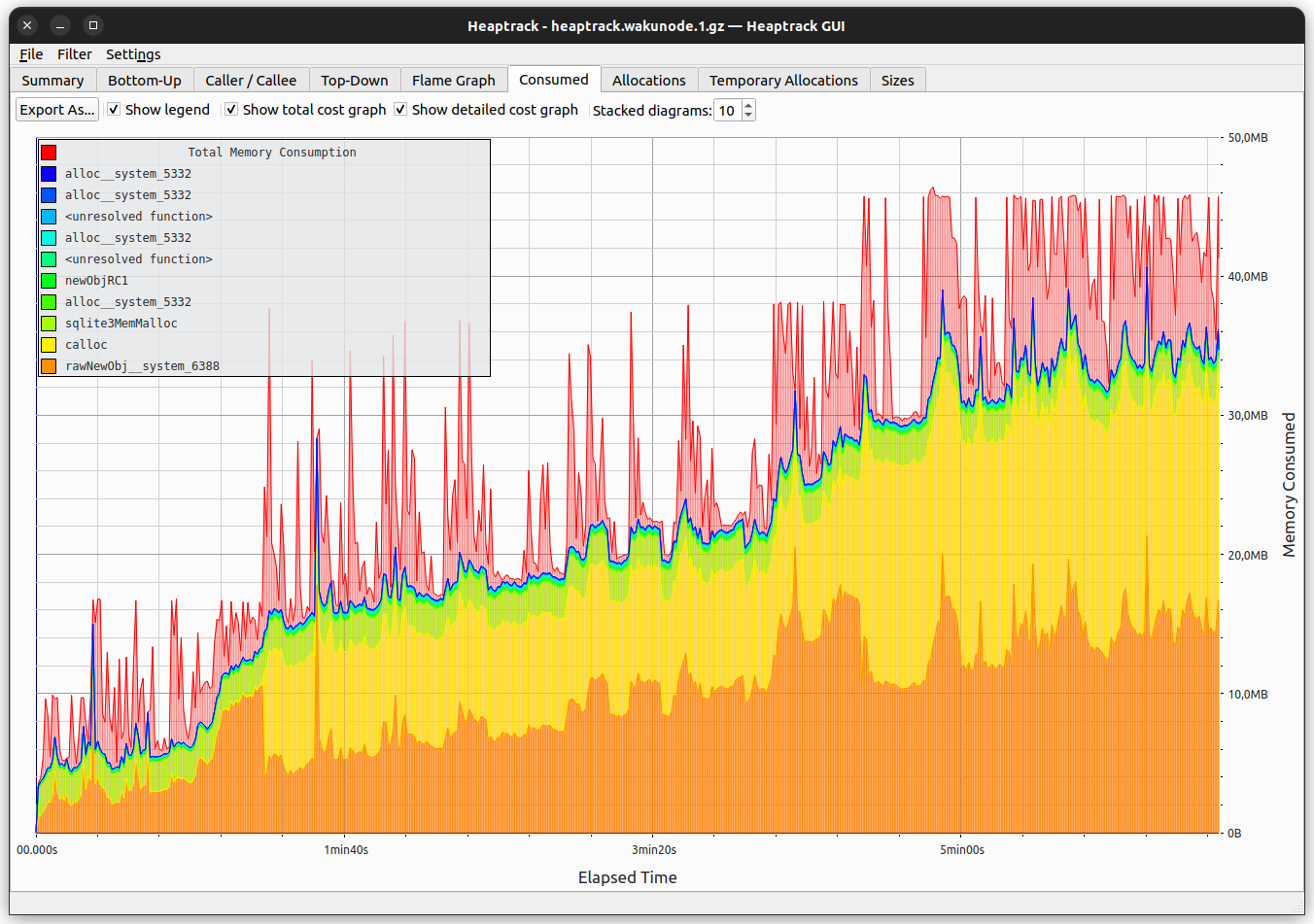
<heaptrack_base_folder>/bin/heaptrack_gui heaptrack.wakunode.1.gz
You should be able to see memory allocations. It is important to see a legend like shown below: